A Product Designer’s experience with AI.
Intro
I’ve been working with AI coding tools for the past couple of years, I’ve found some stuff that they’re good at, and some stuff they’re getting better at.
At the start it was just a little bit of experimenting, then I started using it more, now I’m using it less and more intentionally. I’ll explain why.
I see AI coding as a huge unlock for designers. Our team has adopted AI and rapidly increased our outputs.
I’ve also seen some regressions. I’ll talk about those and where I am mentally with these tools.
I might speak about AI, LLMs and agents interchangeably. I know they’re different things, but I’m generally referring to AI coding agents. eg. Codex, Claude Code or Antigravity.
I’ve been designing and making things for over 20 years now. I graduated from IMD and considered standards based CSS and HTML to be my speciality at the time.
I liked knowing how the sausage was made.
I’ve been working at EDB as a Product Designer since 2020. I design data dense applications for Postgres - which is an open source database.
My work sits squarely in the “enterprise” space. There’s 6 of us on the Product Design team, with just under a thousand at EDB in total.
My recent day to day involved heavy use of Figma for designing and prototyping.
A lot of “enterprise” design requires putting things in tables. If you’ve ever tried to make a table in Figma, it’s not fun.
But all we ever see from Figma’s conferences are 3 page iOS menu apps for cafes.
I digress.
Building with AI
I’m going to show a few examples here, one from work and a couple of side-projects.
EDB has a product called Postgres Distributed. (PGD) which allows businesses to do important stuff like high availability. If a database goes down on the East coast, reads and writes will be moved to the West coast.
That’s a simple example. Imagine multiple locations per continent that are interconnected, with witnesses and voting mechanisms, all managing high traffic applications for finance and telecoms.
Video couldn't load.
Open videoPGD can be complicated to explain. I’ve been working on an initiative for a while now to demystify it for customers and engineers.
Could we showcase PGD’s features and suggest deployment options? Could visualise deployments on a map?
Within a few hours we had a viable happy path. Within a week we had flexible configurations and simulations working. This was the light-bulb moment for me.
The sheer amount of state modelling and interactivity we could do in prototypes was mindblowing.
Early versions looked like wire frames, plain Javascript, HTML5 and Tailwind in a single HTML file. But they were good enough to put in front of PMs then customers for feedback.
AI allowed our team to explore the art of the possible in a very affordable way, without engaging engineering resources.
After some refinement, we were able to ship a production version.
Video couldn't load.
Open videoRecently we’ve shipped some updates. We now guide customers through upgrades using the same interface. Customers and engineers can learn about the upgrade procedures before committing to upgrading.
All of the logic and process is derived from product documentation.
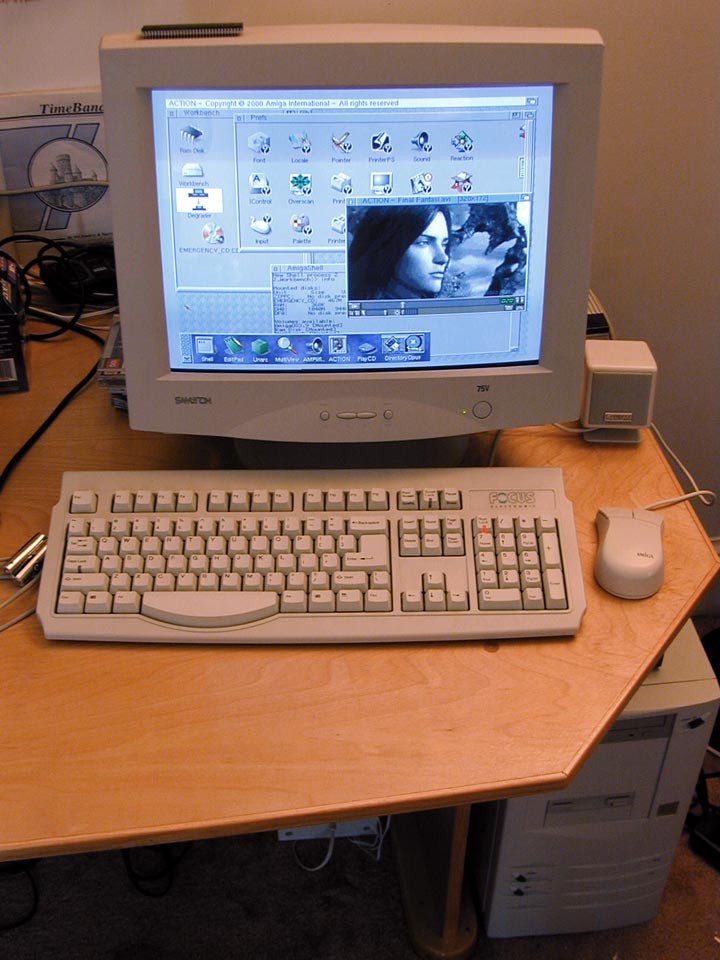
Resurrected with AI
During Covid I tried to build my own homage to retro operating systems, I wanted something with a monochrome feel, with pixels and vectors for a retro futuristic feel.
I came up short when it came down to nailing the interactions in Javascript. This project lay dormant in my home directory for about 5 years, before I tried pointing AI at it.
Video couldn't load.
Open videoAI allowed me to experiment. Making little tech demos. Add realtime components like an IRC inspired guestbook and building my own private audioscrobbler and a Gameboy Camera emulator for your webcam.
https://os.rstr.ing is now online for your perusal.
This was so much fun. It’s the first personal thing I’ve put online in a long time.
Building Hatchback
Collecting feedback is getting tricky, now that we’re in a live browser prototype world.
I started this side project with a simple goal in mind:
A script that I can embed in a prototype which allows stakeholders to leave feedback anywhere on the page.
So under the hood, there’s a JavaScript plugin which sends comments to a user’s account. THere’s support for multiple users and teams. There’s an invite system and object storage for screenshots.
Feedback can be summarised and a prompt generated for the next eiteration of coding.
I migrated the code to Cloudflare and using type script allowed me to supercharge the development of hatchback. Newer models were able to solve performance issues and also do code reviews and unit tests of all the core functionality.
With a little bit more testing and a bit more refinement I think it would be close to making it generally available. If you think it might be useful for your work and you fancy being a tester feel free to join the waitlist at hatchback.app.
I want to bridge the gap between feedback and the coding agents. I’ve built a proof of concept MCP server. And the plan is to make a Claude / Codex connector for a more seamless integration between accounts.
Changes in AI Use
After spending time building with AI, I can see its value. However, I’m consciously more selective with how I use it. Having experimented extensively professionally and personally, I now recognise which bits are quicker for me to do “manually”.
Paula Scher and Picasso have similar quotes. The value of experience and repetition of process. Our taste and skills have been shaped by the work over time.
I don’t want to completely offload my design process, I want to steer it and be in the loop.
“It took me a few seconds to draw it, but it took me 34 years to learn how to draw it in a few seconds.”
AI can make you go faster. It can also inflate your ego and give you a false sense of progress. It can also add lots of superflous labels, then you’re spending hours shaping something that wasn’t really yours into something that resembles what you want.
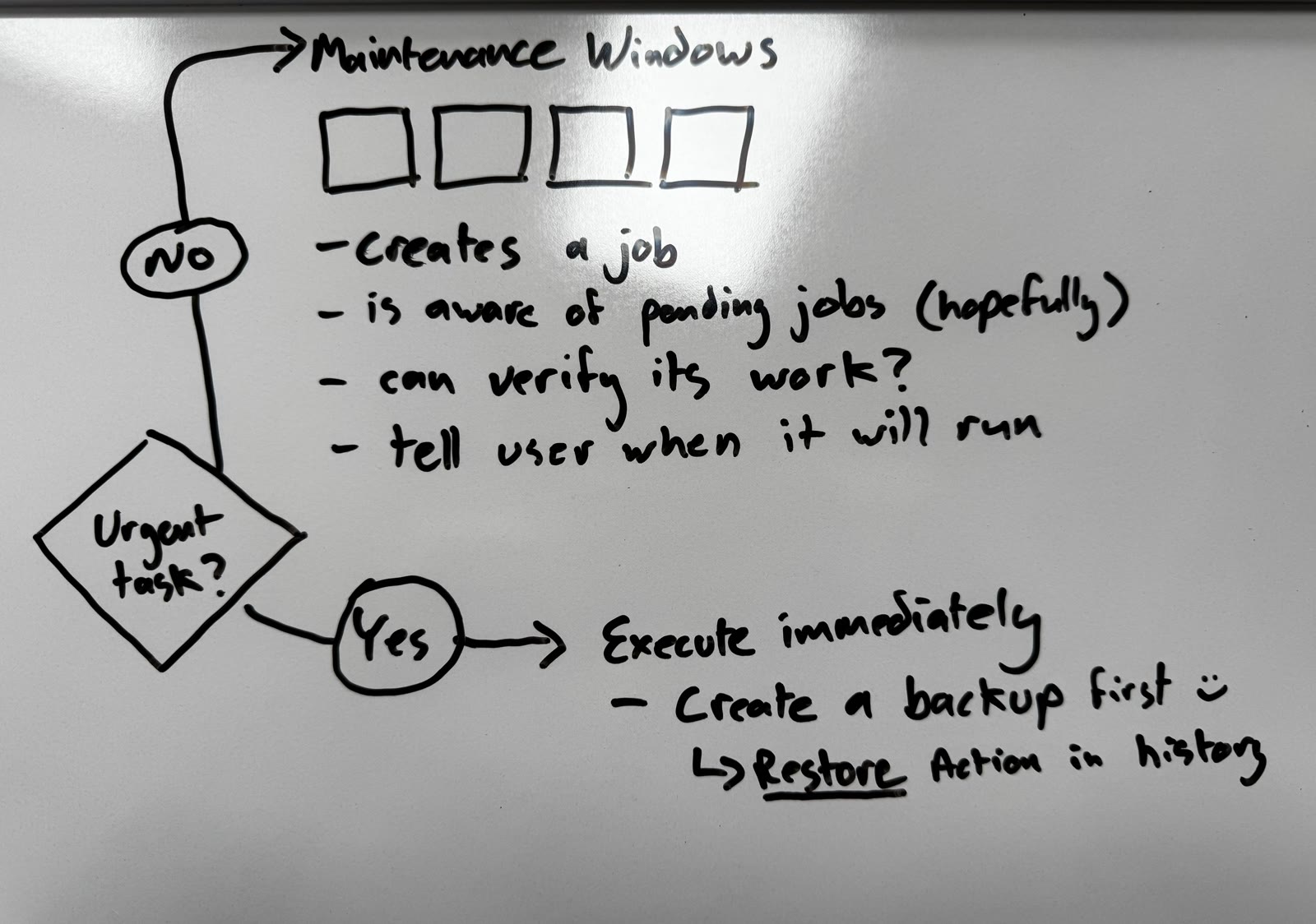
Sketching on a whiteboard or manually storyboarding something in Figma still gets me to the spine of the problem fast.
AI excels at putting the meat on the bones. Generating the data. Analysing codebases, ensuring you’ve got designs for all the different states.
Token Cost
Cost is also becoming prohibitive, especially on enterprise plans. You need to know what you want and how to ask for it.
Try different models
I have a ChatGPT pro account, In work we have Claude, I feel that gives me a good sense of what the big labs are up to.
Capabilities and speed are changing a lot. I should look at what Meta and Grok are doing too.
Just Prototype It
Use prototypes to answer important Ux questions before investing in polish
“If a picture is worth a thousand words, a prototype is worth a thousand meetings”
Dive into your company’s codebase, learn to build features. They may not make it to prod, but you can definitely share your thinking and get alignment.
Learn what HTML elements are called. Learn what components are called, look at Storybooks and documentation. If you ask the LLM to change something, be direct and use the proper name for it.

The past 18 months have been a whirlwind. AI bros on Twitter and LinkedIn can make you feel like you’re terminally behind.
AI has definitely helped speed up my work, but it’s also increased the intensity of it. We work on more things at once and the timelines are getting shorter.
It can be difficult to know when to close Claude and stop iterating. Due to their non deterministic nature, AI can keep you iterating and honing ideas. It’s giving you immediate payoff with the hope that you’ll soon strike a jackpot.
The slot machine will keep you playing.