Personal OS
Personal OS is a personal website built as a desktop. It holds my notes, interests, and small experiments in an interface inspired by the computers I grew up with.
An alternative computer history
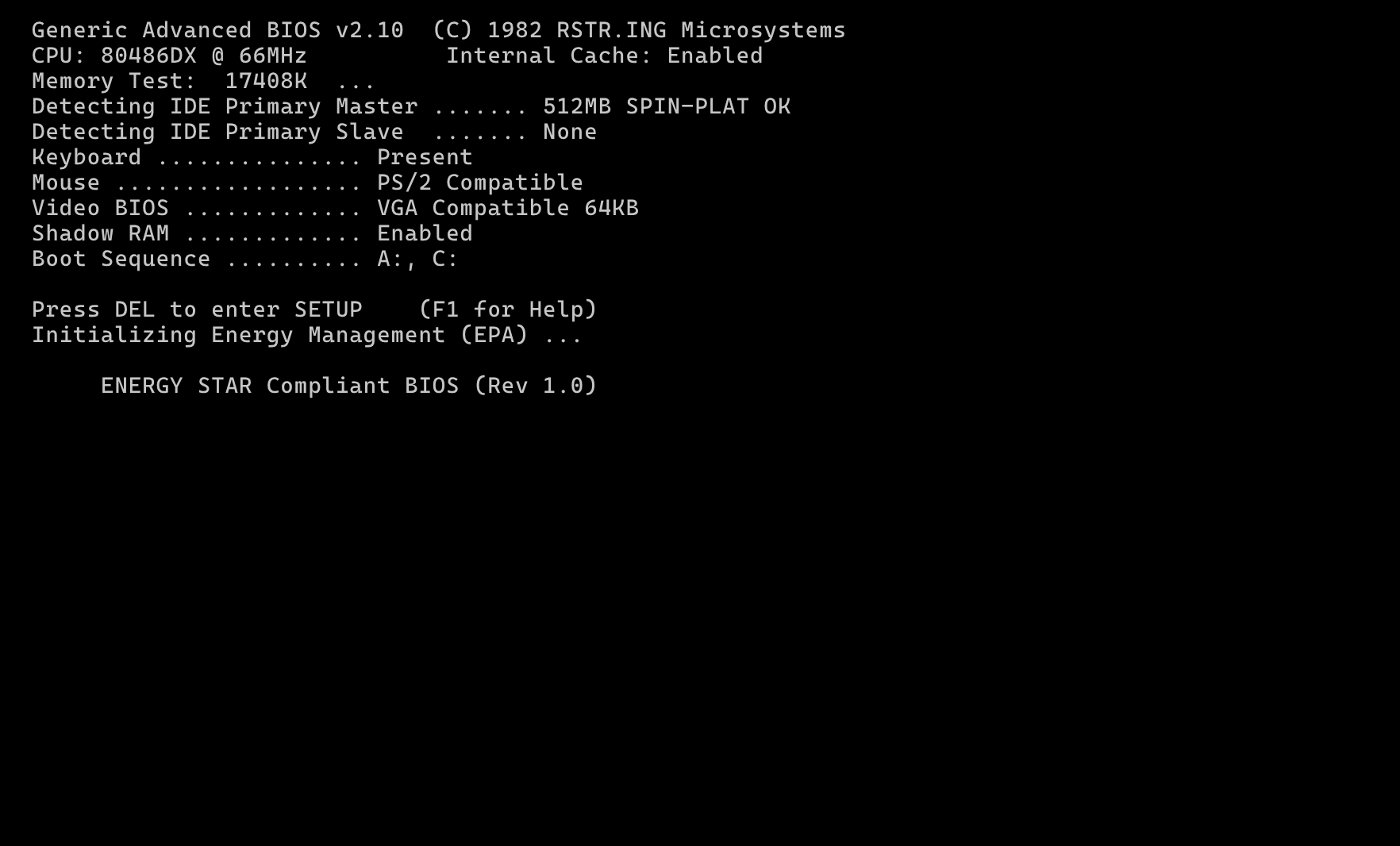
The premise is an alternative history in which another company entered the personal computer wars of the 1980s and came out on top. Personal OS imagines what using one of its machines might feel like. The fictional RSTR.ING Microsystems name appears in the boot screen, and the desktop has its own set of visual conventions.
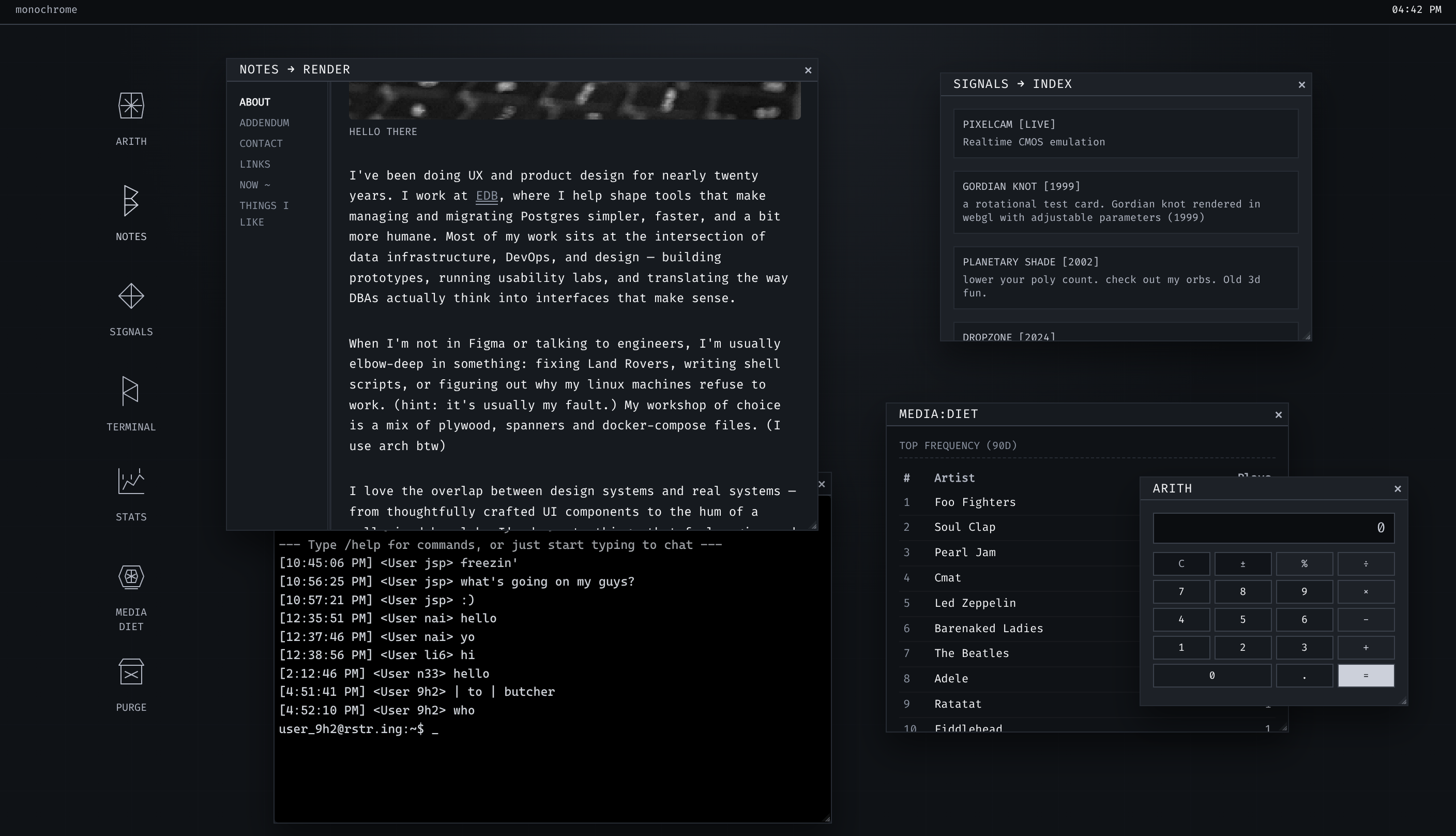
The runic icons are part of that identity. Angular strokes and geometric symbols mark the applications, with plain text labels underneath. They give the desktop an unfamiliar alphabet while keeping it straightforward to navigate.
The desktop
I designed and built a set of small applications: Notes for writing and links, Media Diet for cultural interests, a calculator, and a terminal. Visitors can open several at once and move between them.
The window system handles focus, stacking, dragging, and resizing. A monochrome palette, monospaced type, fine borders, and line icons give the applications a shared appearance.
Returning to the same space
The first visit starts with a boot sequence. Returning visitors go straight to the desktop, and a reboot command lets them play the sequence again.
Window arrangements, icon positions, the active note, and the background are saved locally between visits.
Adapting to phones
Overlapping windows are awkward on a small screen. The mobile version uses an app tray and a dedicated notes view so visitors can choose an application and read without managing windows.
Building it
I used React and TypeScript, with Vite and Framer Motion. Building in the browser let me adjust window behaviour and animation as I used them.
Notes are stored as Markdown. Supabase supports connected features, including shared presence and media data.